> ## Documentation Index
> Fetch the complete documentation index at: https://docs.sprintcheckout.com/llms.txt
> Use this file to discover all available pages before exploring further.
# Fiat autosettlement
> How to accept ERC-20 crypto assets and convert them to fiat instantly via the Coinbase API
To use the autosettle feature, you need to have a Coinbase account. Create one on [Coinbase.com](https://www.coinbase.com/)
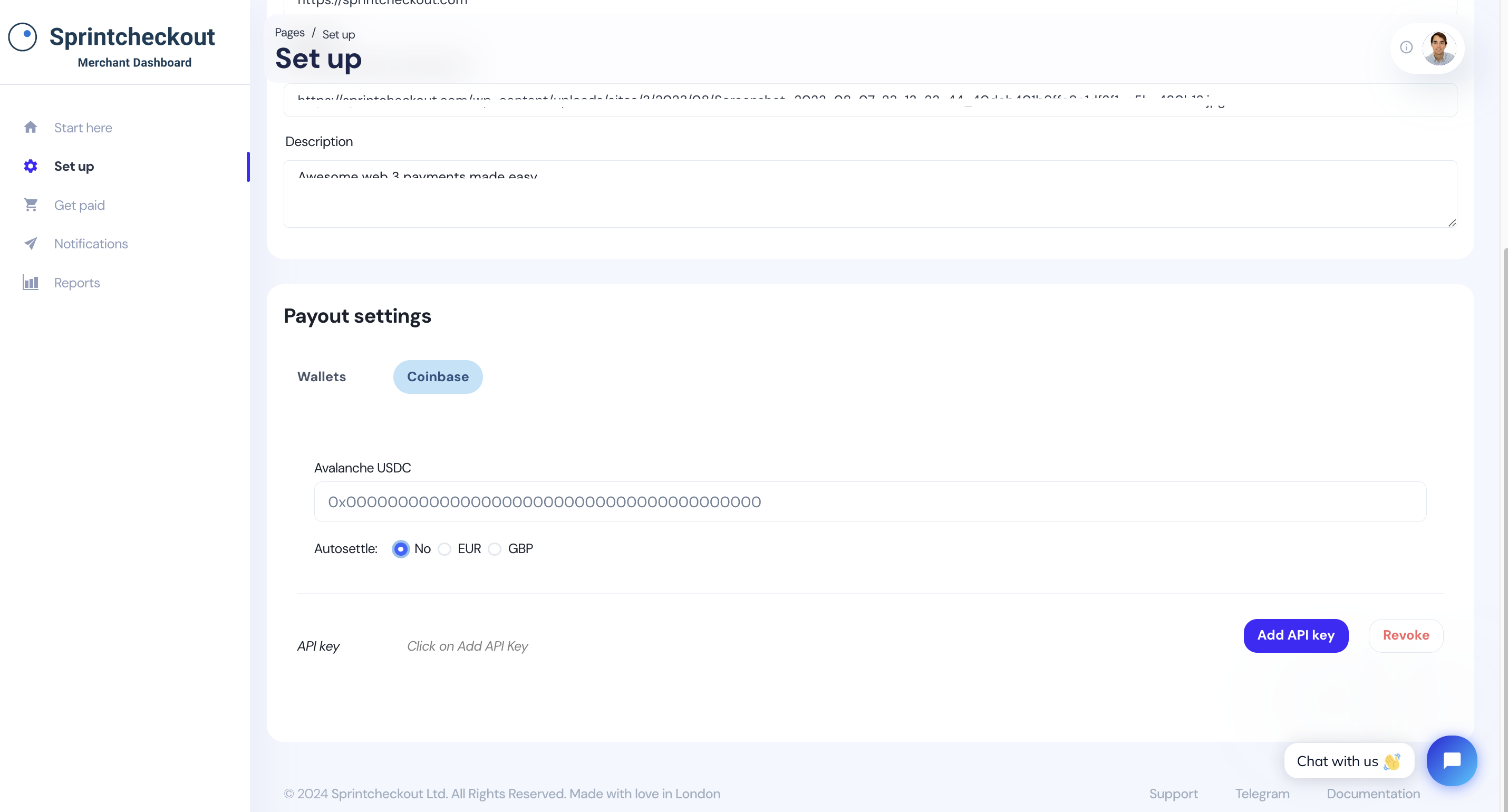
## 1. Go to Set up > Payout settings > Coinbase
To begin, head over to Sprintcheckout dashboard set up section, and tap the Coinbase tab:
 [Contact our team](https://t.me/joanseg) to add the network-token pairs you want to accept to your account.
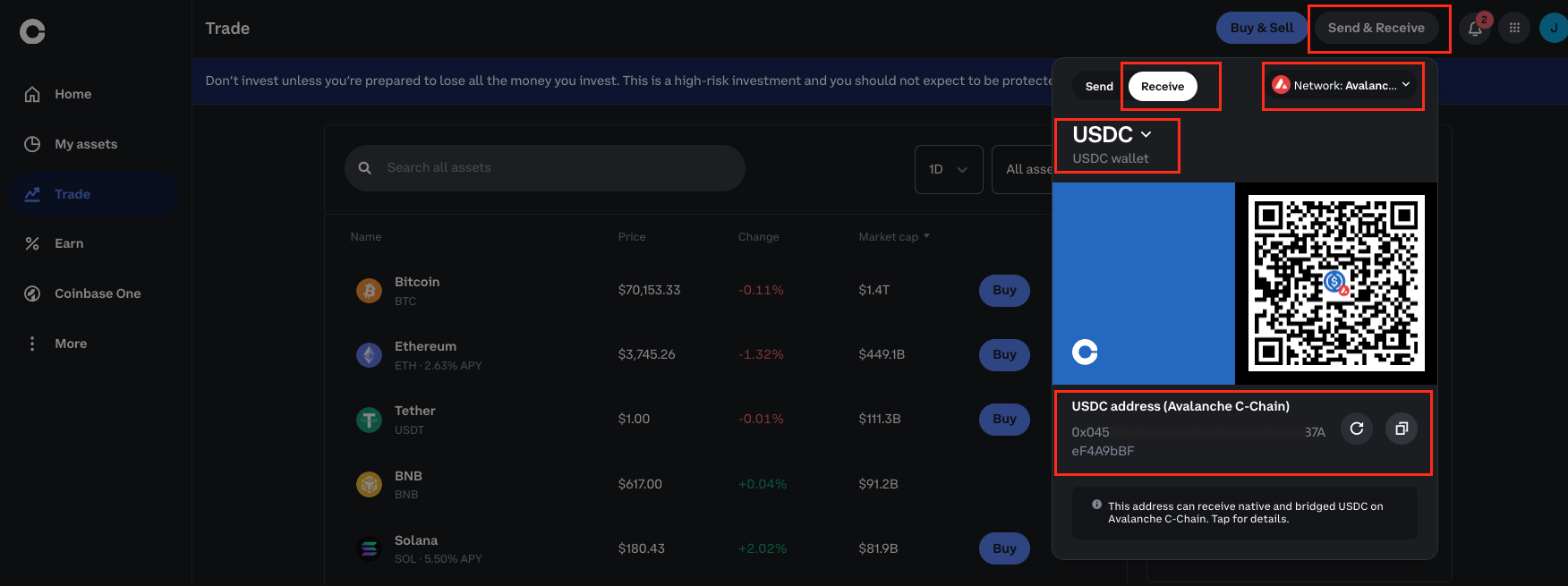
## 2. Copy your Coinbase public address
[Contact our team](https://t.me/joanseg) to add the network-token pairs you want to accept to your account.
## 2. Copy your Coinbase public address
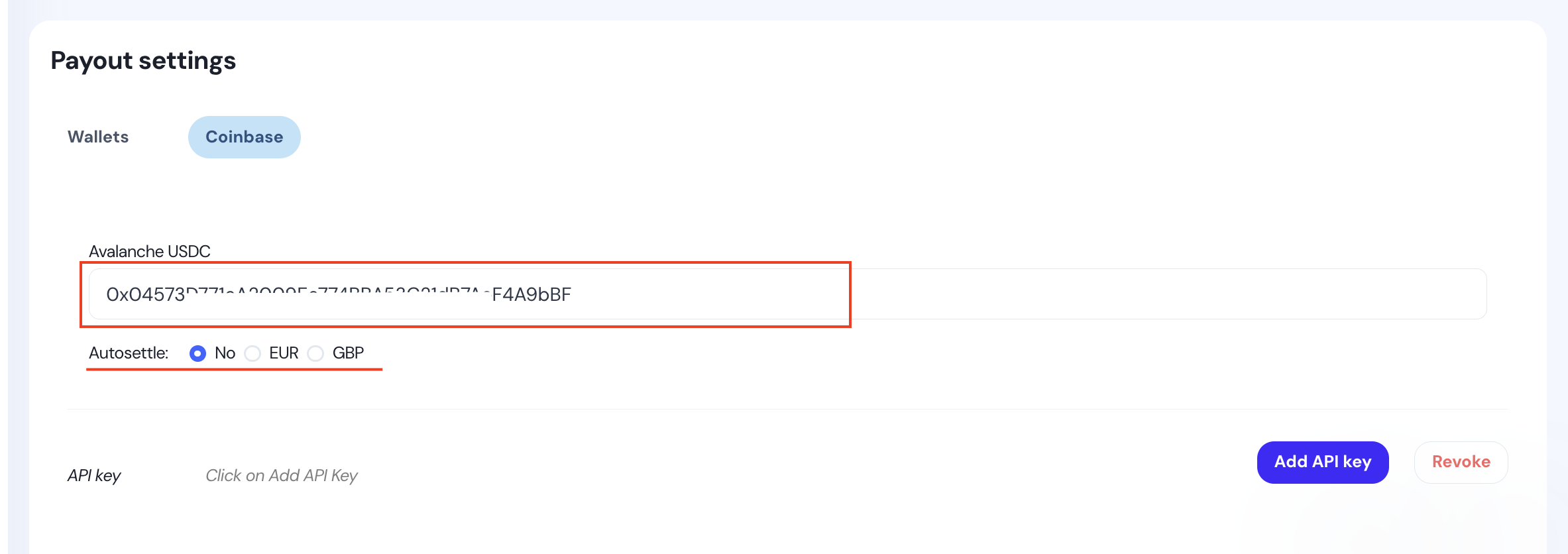
 ## 3. Paste it on the Dashboard
Select the fiat or token for autosettlement (select "No" to disable autosettlement).
## 3. Paste it on the Dashboard
Select the fiat or token for autosettlement (select "No" to disable autosettlement).
 [Contact our team](https://t.me/joanseg) to add the fiat or token you want to swap to your account.
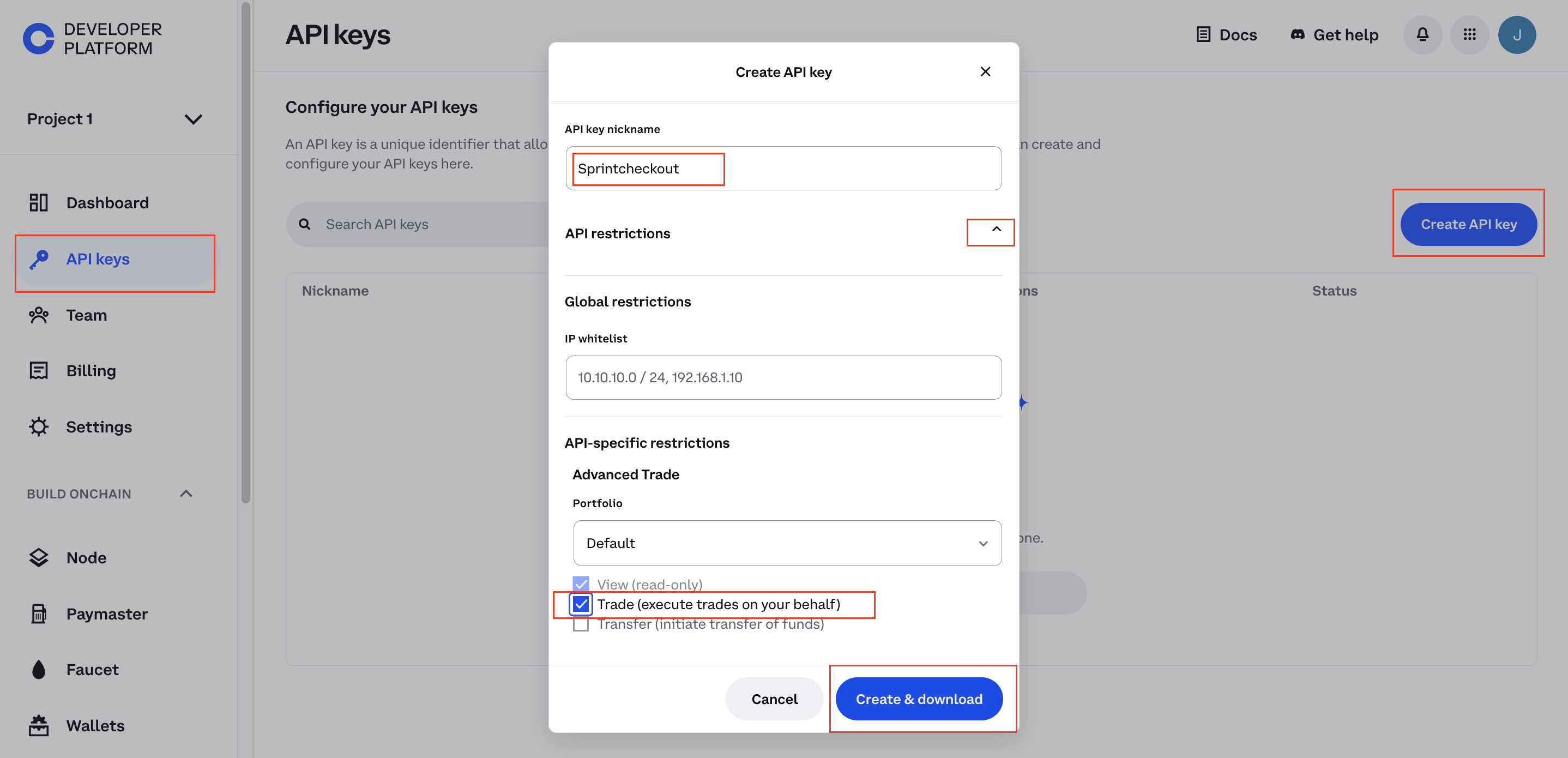
## 4. Go to Coinbase API and create an API key
Remember to check the "Trade" permissions checkbox.
[Contact our team](https://t.me/joanseg) to add the fiat or token you want to swap to your account.
## 4. Go to Coinbase API and create an API key
Remember to check the "Trade" permissions checkbox.
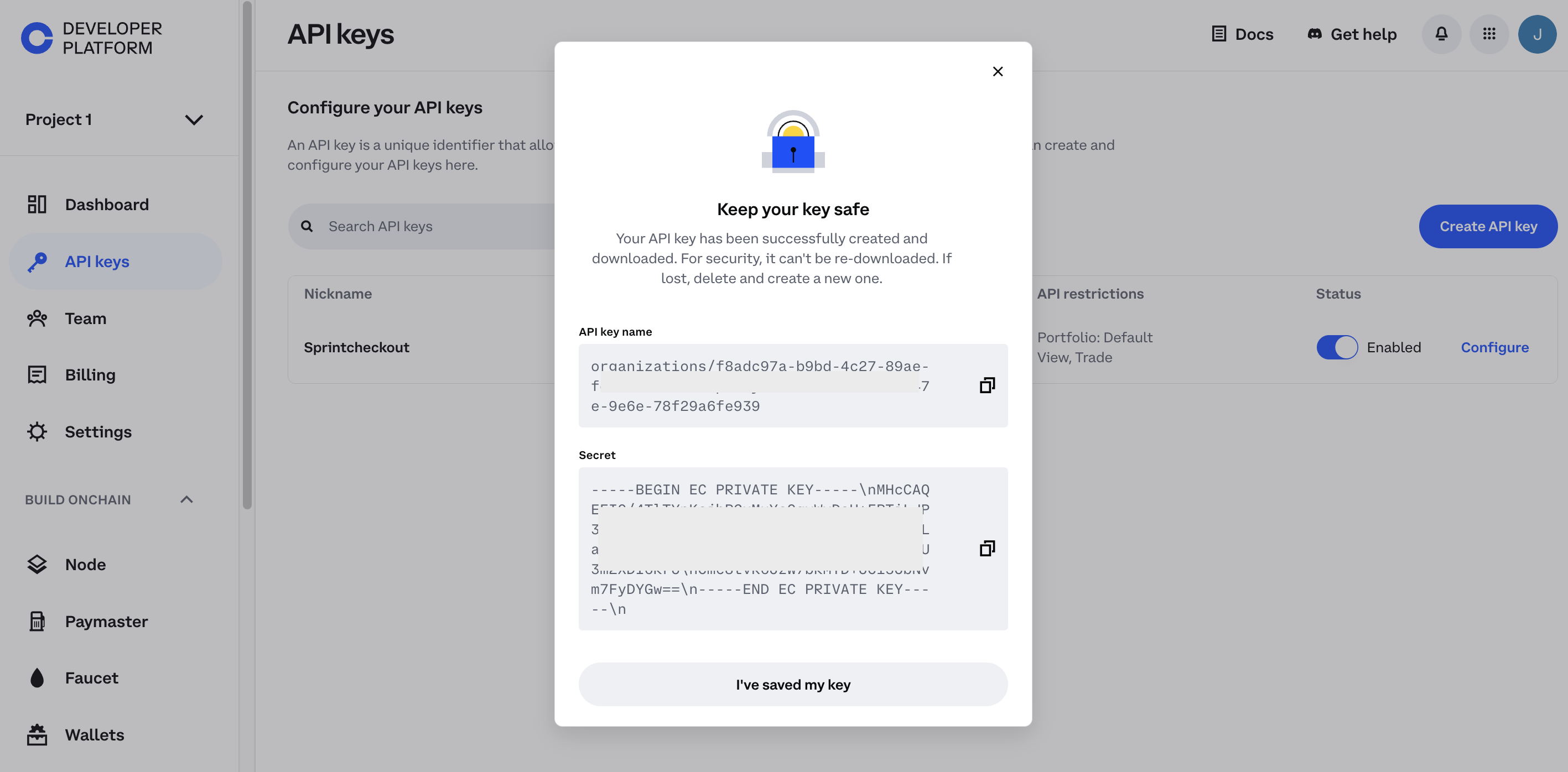
 Copy the API keys.
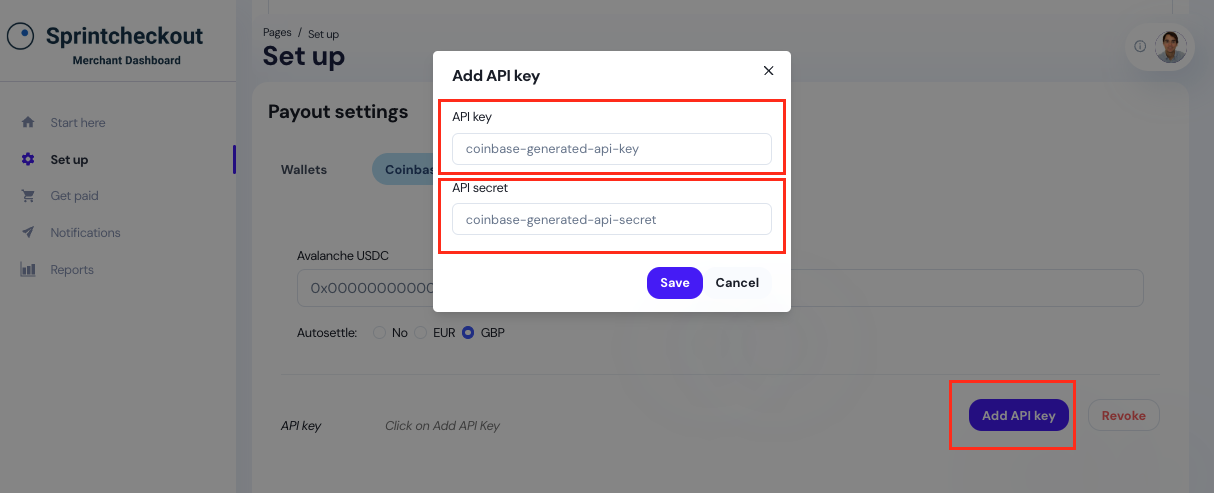
 ## 5. Paste the API keys into your account
 ## 6. Create a Payment link and test it
For testing purposes, we recommend selecting the light template and adding a small amount.
## 6. Create a Payment link and test it
For testing purposes, we recommend selecting the light template and adding a small amount.
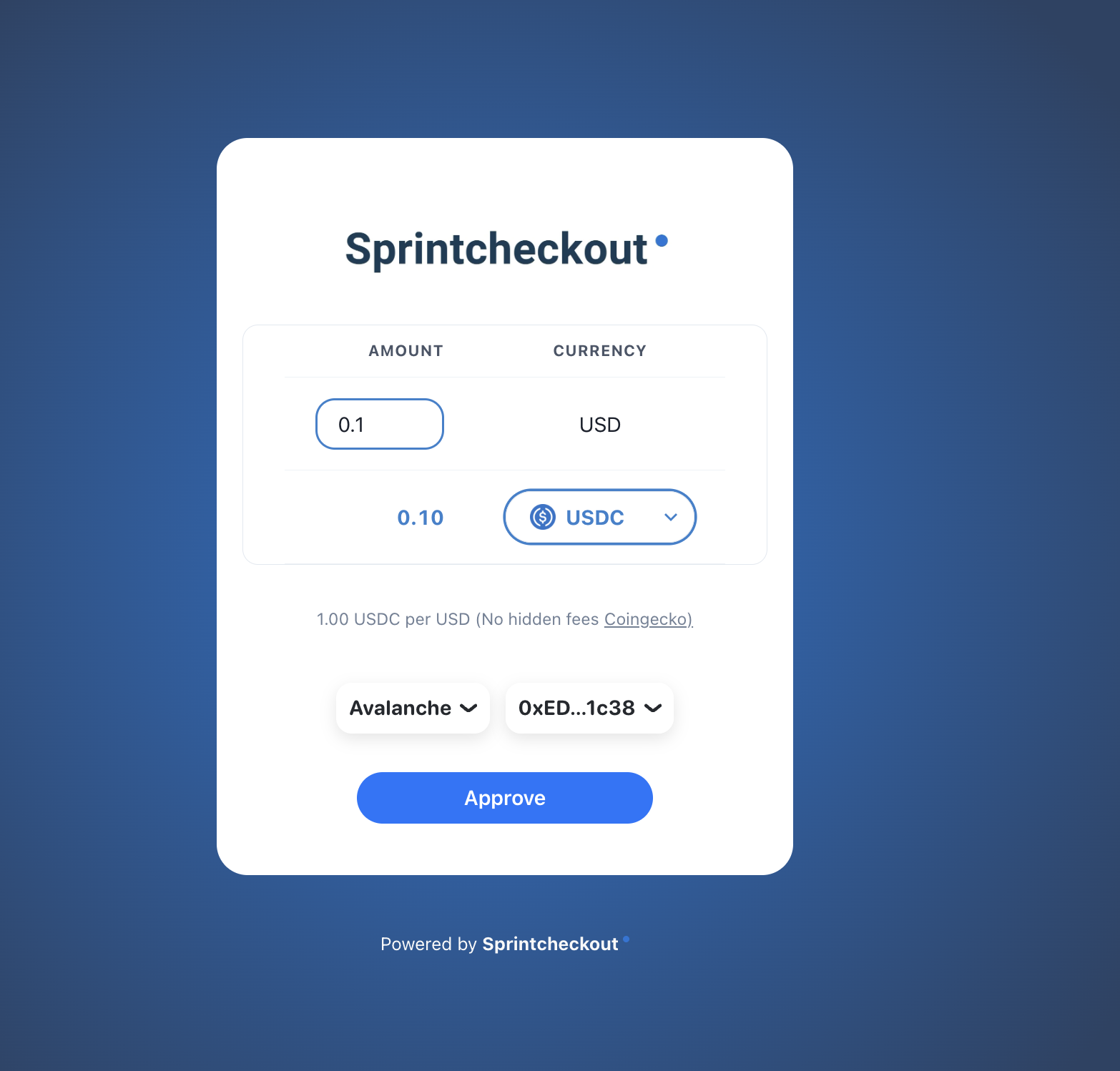
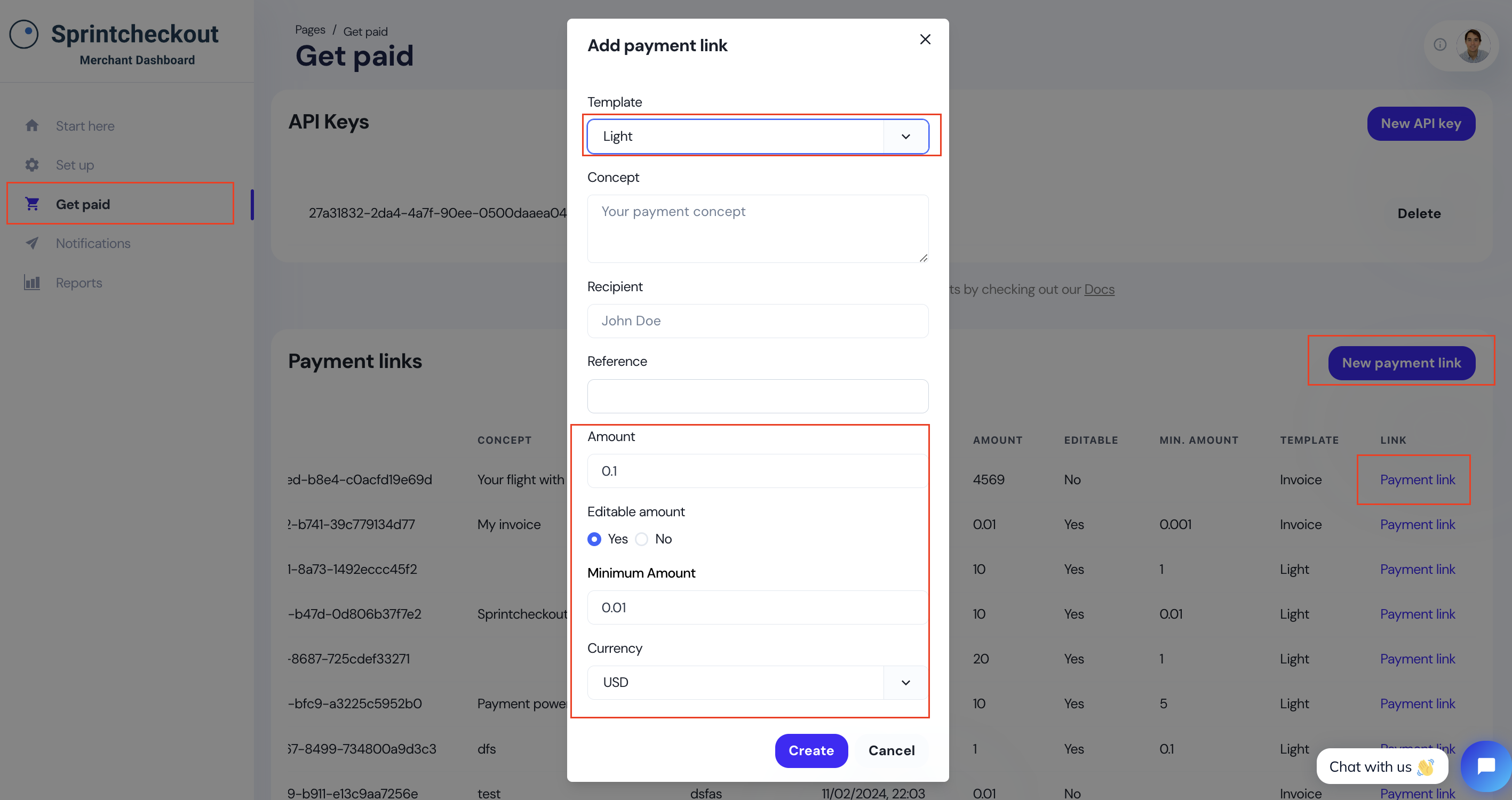 In this example, when the user pays with USDC, the funds will go to the Coinbase account and autosettle to the selected fiat, e.g. GBP.